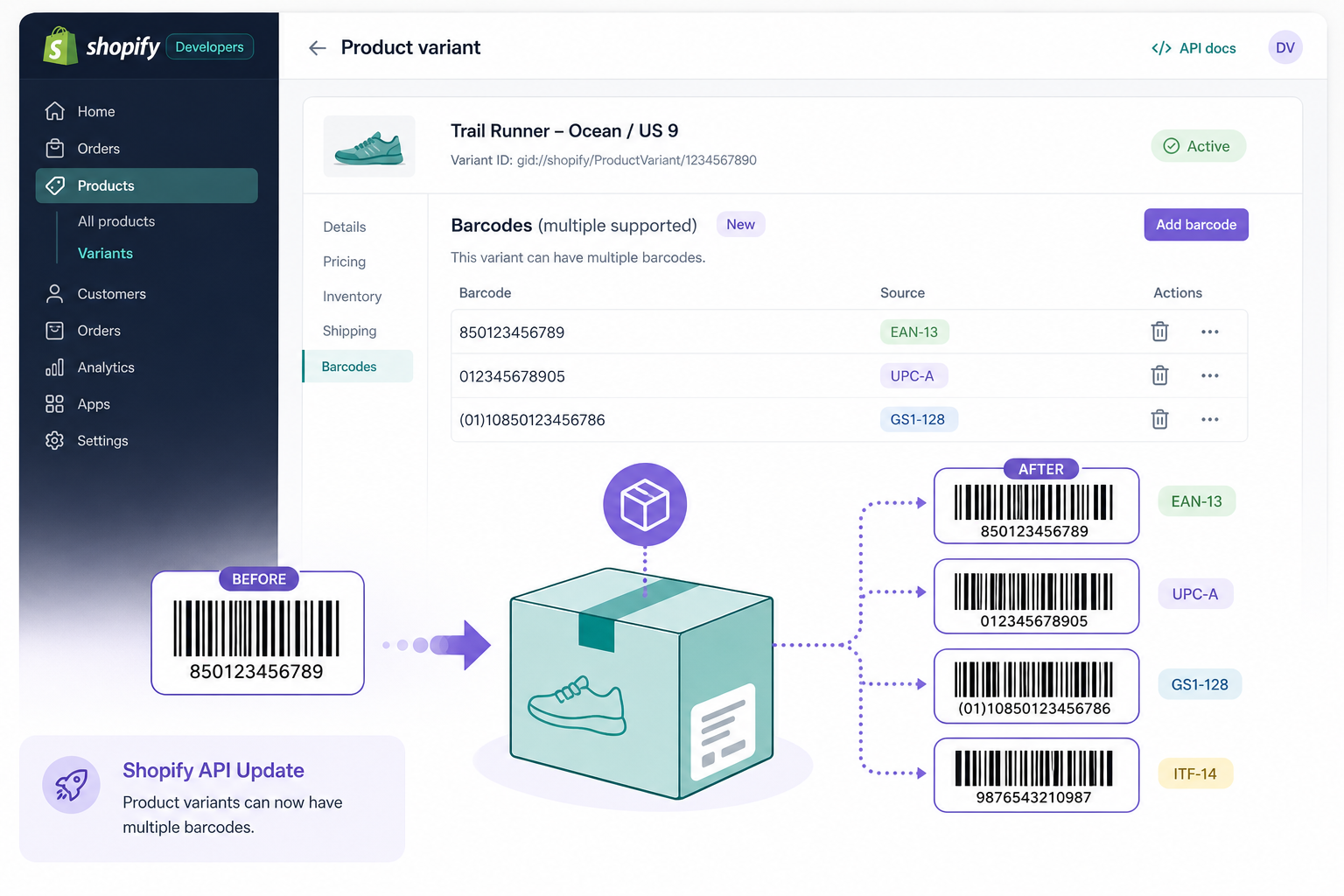
Buried in the September 8 entry of the Shopify developer changelog is a change I think a lot of app developers have been quietly wanting for years: product variants can now hold multiple barcodes instead of just one.
If you’ve built anything that syncs inventory between Shopify and an ERP, a marketplace, or a POS system, you already know why this matters. A single variant frequently needs to answer to more than one identifier, a manufacturer’s UPC, a private-label EAN slapped on by the retailer, maybe a GTIN for a marketplace listing, or an ISBN if you’re in books. Until now, Shopify’s data model only had room for one barcode field per variant, so everyone hacked around it with metafields, tags, or just… didn’t bother, and ate the sync errors.
What actually changed
There’s a new barcodes connection on ProductVariant that reads the full set, and a corresponding barcodes input on productSet, productVariantsBulkCreate, and productVariantsBulkUpdate. Each barcode can optionally declare a type, UPC, EAN, ISBN, GTIN, or ASIN, and Shopify validates it against that standard’s actual rules: character set, length, prefix, check digit. If you skip the type, it just stores the raw value like before, so untyped legacy data keeps working.
The old singular barcode field on ProductVariant is now deprecated but not removed. It keeps working by mapping to whichever barcode sits in the first position of the new connection. Shopify hasn’t announced a removal date yet, just promised a full API version of notice before it happens.

Where this bites you if you’re not careful
Shopify’s own changelog flags the sharpest edge here, and it’s worth repeating because it’s the kind of bug that won’t show up until it’s already caused a mess: once a variant has more than one barcode, any integration still reading the old singular barcode field silently gets just one of them, with zero indication that others exist. No error, no warning, just quietly incomplete data. If you’ve got a sync job pushing barcodes to an ERP or a supplier feed, and you haven’t migrated it to the new barcodes connection, you could ship inventory sync bugs for weeks before anyone notices the second barcode never made it out.
This is exactly the kind of “backward compatible” change that isn’t really backward compatible in practice. Nothing breaks in the sense that your code keeps running without errors. But the data it’s reading becomes wrong the moment a merchant or another app adds a second barcode to a variant they manage.
My take
I like the design. Giving each barcode a declared type with real validation is a genuinely useful upgrade over “whatever string you happened to type into that box.” I’ve dealt with enough garbage barcode data in retail integrations to appreciate check-digit validation happening at the API layer instead of every app rolling its own.
What I’m less thrilled about is the silent-truncation behavior. Shopify had a choice here: they could have made the old field throw a deprecation warning, or return some signal that more barcodes exist, or even just null it out once a variant crosses into multi-barcode territory to force developers to notice. Instead they picked the option that keeps everything looking fine on the surface while quietly changing the semantics underneath. I understand the reasoning, you don’t want to break every app that reads barcode the day this ships, but “silently returns incomplete data” is a rough middle ground. A lot of teams are going to find out about this the hard way, probably from a merchant complaint about mismatched inventory counts three months from now.
The alternative Shopify could have taken
One approach other platforms use for this kind of migration is a hard cutover with a long deprecation window and active warnings in API responses, think of how GraphQL APIs sometimes include a deprecation notice string alongside the field itself, or how some platforms fire a webhook when deprecated fields are accessed so you can audit real usage before the field disappears. That’s more work for the platform to build, but it turns “silent data loss” into “loud, actionable warning,” which is a much easier problem for app developers to catch in a staging environment instead of production.
If you’re maintaining a Shopify app that touches barcodes at all, do yourself a favor and grep your codebase for every place you read the barcode field today. Migrate those reads to the barcodes connection now, while it’s a proactive cleanup task instead of an incident response. Full details, including the exact mutation input shapes, are in Shopify’s changelog entry.